
Selection & Ordering Process
To purchase Static Datacenter IPv4 proxies, specify your requirements:
- Go to: Products → Static Datacenter Proxies-IPv4 → Purchase
- Select proxy type, target country, region, and quantity
- Confirm selection and proceed to checkout
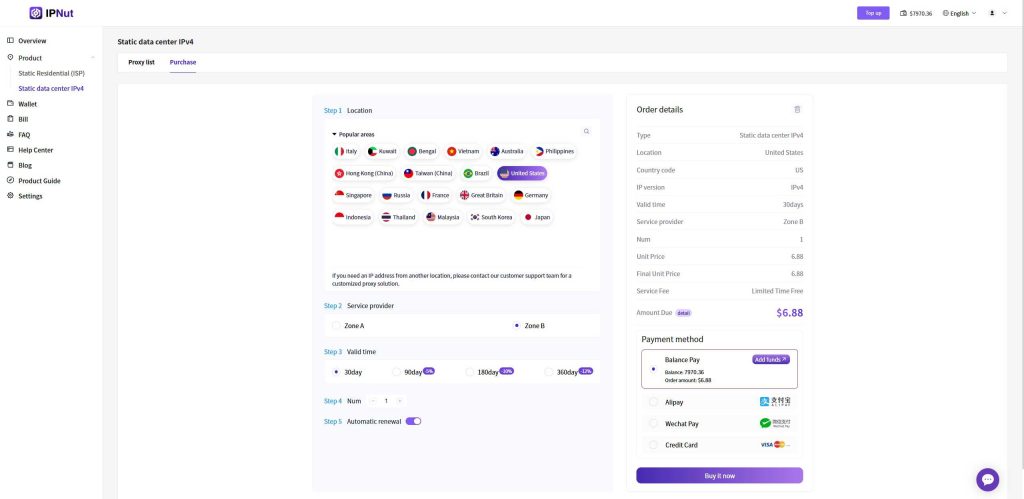
Payment Methods
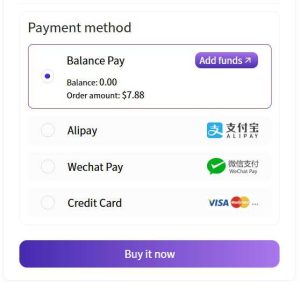
Click 【Buy Now】 to access four payment options:
- Balance Payment
- Direct purchase when account balance is sufficient
- For low balance, refer to: Account Recharge Guide
- Online Payment
- Alipay / WeChat Pay / Credit Card
- Follow payment portal instructions to complete transaction
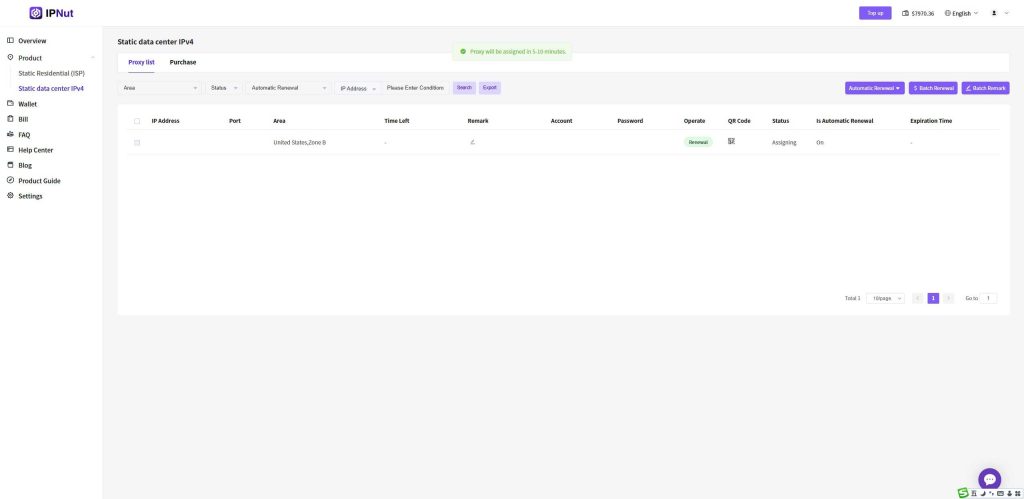
Proxy Allocation
- Proxies are automatically deployed within 5-10 minutes after payment
- Refresh your proxy list manually to view assigned resources
Accessing Proxy Credentials
Once allocated, the dashboard displays:
- Assigned IP addresses and port numbers
- Authentication credentials (username/password)
- Protocol-specific endpoints
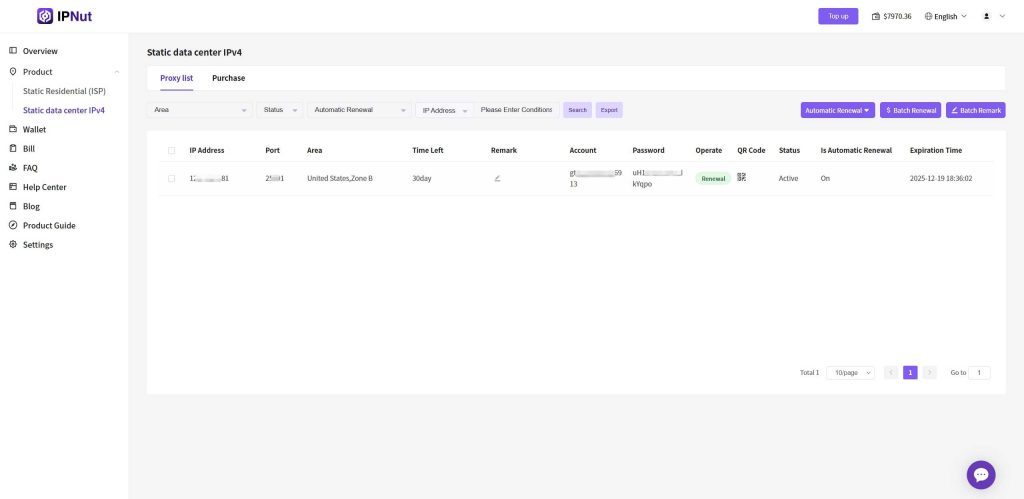
Retrieve configuration via:
- Direct copy-paste of full connection strings
- QR codes (Socks5/HTTP versions available)
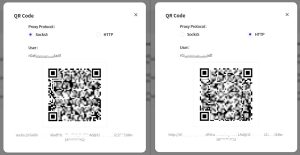
Connection String Format
Full endpoint structure:protocol://username:password@IP:port#region-remark
Standard Examples:
bash
socks5://account:password@127.0.0.1:12001#kr-seoul
http://account:password@127.0.0.1:13001#kr-seoul
Configuration Instructions
Extract these elements for your proxy client:
- Protocol (SOCKS5/HTTP)
- IP + Port
- Username + Password
Technical Support
For location-specific requirements or configuration assistance:
- Email: jenny@ipnut.com
- 24/7 Live Chat via website


