
Port-Based Procurement Process
When purchasing Static Residential (ISP) proxies, select your preferred parameters including proxy type, country, region, and quantity. This guide demonstrates the purchase flow for Static Residential ISP proxies (witual-protocol support):
Navigate to: Products → Static Residential ISP Proxies → Purchase
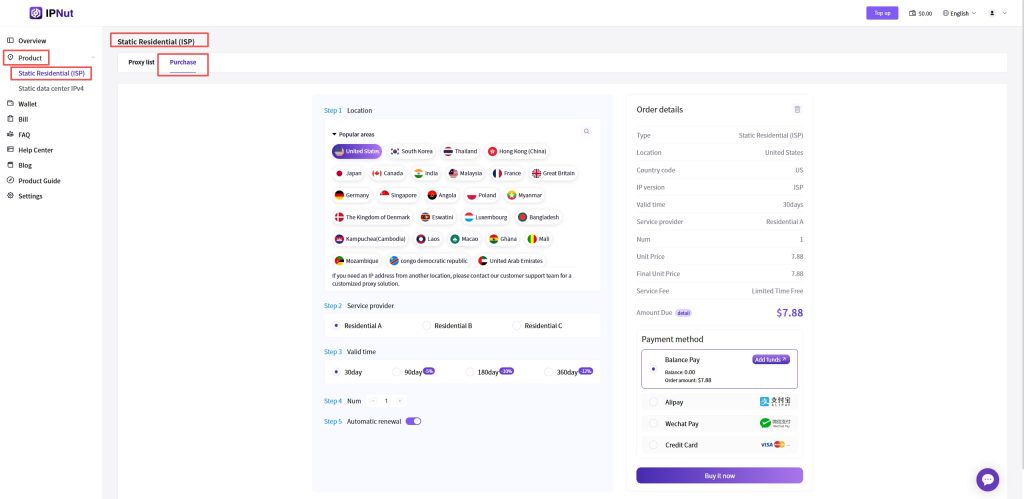
Payment Execution
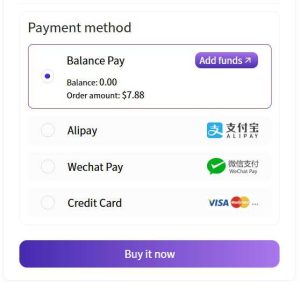
Click the “Buy Now” button in the lower-right corner to access four payment options:
- Balance Payment
Complete instant purchases when account balance is sufficient. For balance top-up procedures, refer to our recharge guide. - Online Payment
Support for three mainstream methods:- Alipay
- WeChat Pay
- Credit Card
Select preferred method and follow the payment workflow to complete transaction.
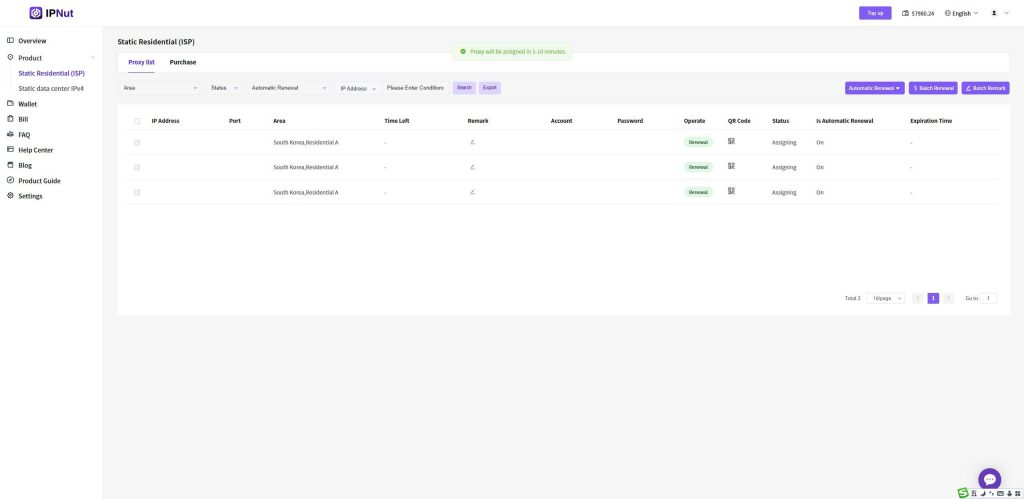
Proxy Allocation
After successful payment, proxy resources will be automatically allocated within 5-10 minutes.
Information Retrieval
Refresh your proxy list manually after allocation completion. The interface will display:
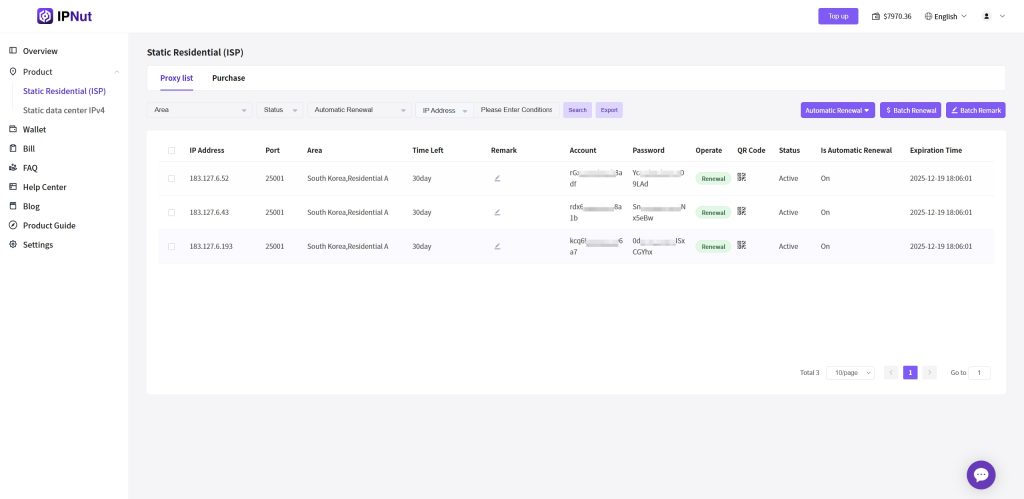
- Assigned IP details
- Authentication credentials
- Protocol-specific access information
Access Methods
Retrieve proxy configurations through:
- Direct copy-paste of allocation data
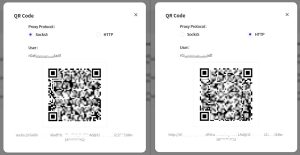
- Protocol-specific QR codes (Socks5/HTTP)
Proxy Endpoint Structure
Each assigned record represents a purchased IP port with the following format:protocol://username:password@IP:port#region-remark
Standardized Examples:
text
socks5://account:password@127.0.0.1:12001#kr-seoul
http://account:password@127.0.0.1:13001#kr-seoul
Configuration Guidance
Extract required components (protocol, IP, port, credentials) from the endpoint string according to your proxy client’s specification requirements.
Technical Support
For location targeting assistance or operational clarification, contact our 24/7 support:
- Email: jenny@ipnut.com
- Live Chat: Available via website interface


